
Kitchen Island Makeover Visualizer
Preview painted contrast islands, slatted wood bases, waterfall quartz tops, and fresh seating on your actual kitchen photo before hiring a carpenter.
On iPhone? Try our iOS app →
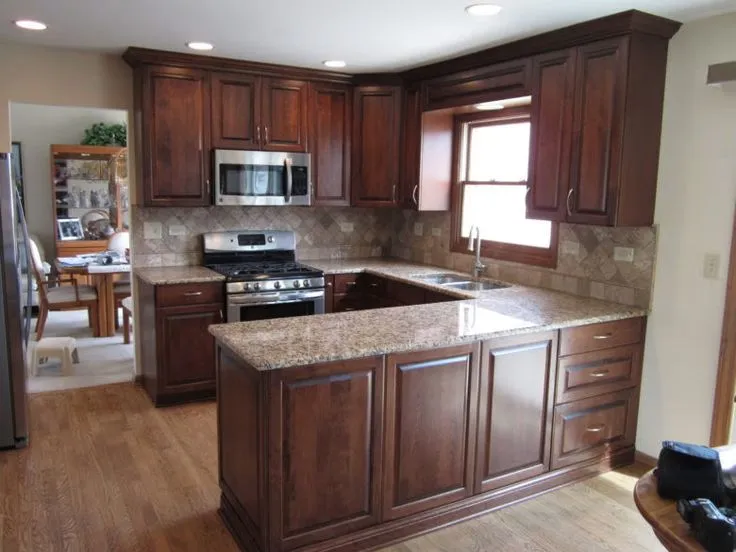
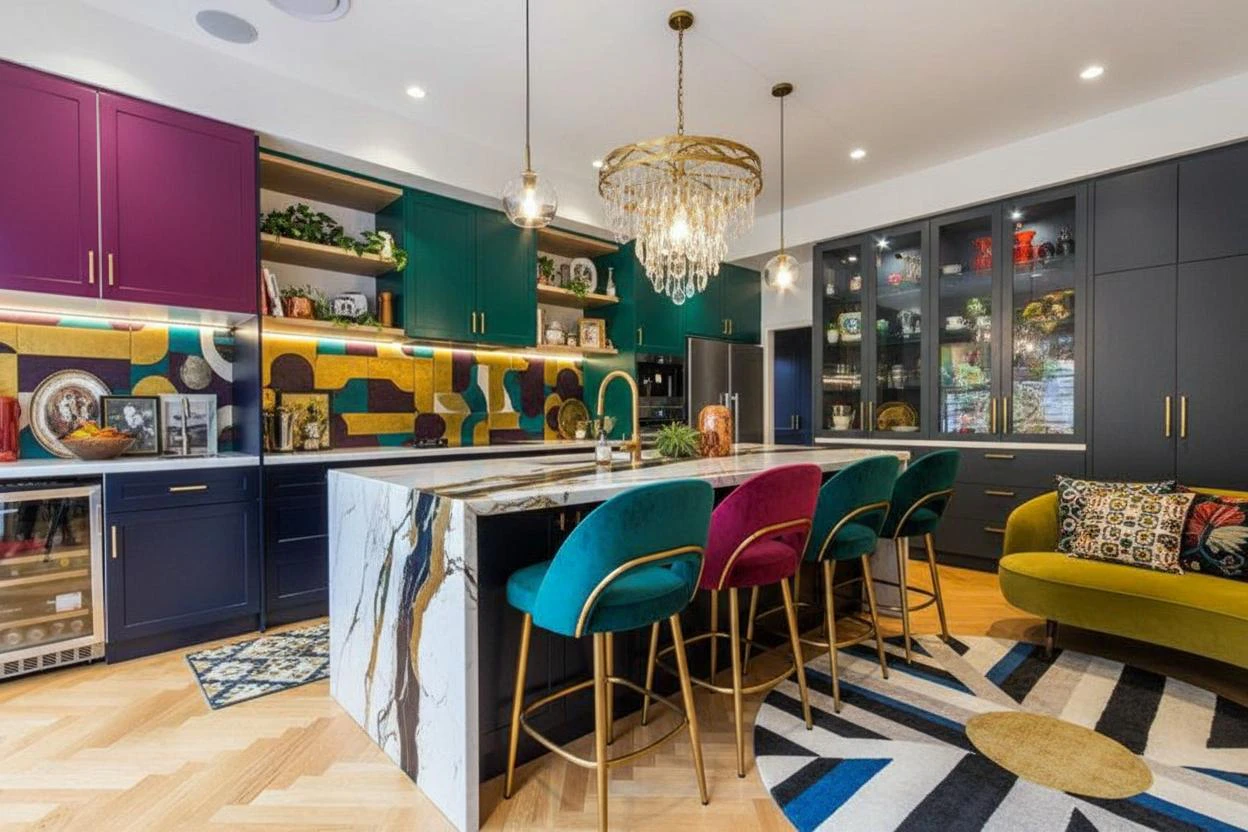
Drag the slider left or right to compare before and after.
Preview on your own photo in under a minute.
Upload one clear daytime shot, apply your finish or style direction, and compare clean HD options side-by-side.
High-impact island updates without moving plumbing.
Practical checks that prevent costly material and paint regrets once you move from preview to project.
Kitchen Island Makeover Visualizer, answered.
Part of our Kitchen Remodel AI suite. Always confirm physical samples and measurements before purchasing or building.
Can I preview changing only my kitchen island color or countertop?
Yes. Upload a wide kitchen photo and use Custom Prompt to test a sage green, navy, matte black, or white oak island base—or a waterfall Calacatta quartz top—while keeping perimeter cabinets unchanged.
Can AI Renovation show what removing a two-tier raised bar looks like?
Yes. Describe "single-level flat quartz kitchen island replacing the raised bar, with warm woven bar stools" in Custom Prompt to visualize the open sightline.
How quickly can I compare 3 or 4 island options?
Each render takes about 25 seconds, so you can compare painted wood, waterfall stone, and pendant lighting styles in under 3 minutes.
What does it cost?
Start with 3 free previews, then unlock 25 clean HD renders for $9 one-time or 100 HD renders for $24 one-time—no subscription.
See it on your own home in 25 seconds.
Start with 3 free previews, then unlock 25 clean HD renders with a $9 one-time pass or 100 HD renders for $24. Zero subscription required.
Visualize My Kitchen Island Free →Web Studio + iOS App · One-time passes from $9 · Cancel or pause Pro anytime