
Best Free AI Home Exterior Design Generators in 2026

Picture your house in late afternoon light, the siding swapped from beige vinyl to charcoal board-and-batten, a slim line of warm oak framing the front door. A few years ago, that image cost a contractor mockup fee and a two-week wait. Today, a free AI home exterior design generator renders it in seconds. AI Renovation tracks the full landscape of these tools, and this guide ranks the eight free generators worth your evening, weighed on output realism, style breadth, friction, and how much you can actually do without paying.
How We Ranked These Free AI Exterior Design Generators
Five criteria shaped the list, in this order of weight. We tested each tool with the same suburban two-story photo so the comparison stayed honest, and we used the methodology described in our AI exterior design tool overview for scoring renders against the original facade.
- Output realism. How closely the render preserves real-world materials, light direction, and proportions. Painterly results lose points; tools that hold window mullions and rooflines steady gain them.
- Style library depth. A count of distinct named architectural styles, from modern and colonial through craftsman, Victorian, farmhouse, Mediterranean, and Tudor.
- Friction to first render. Whether the tool demands an account, a credit card, or an email before it generates anything.
- Free tier generosity. Render quantity at zero cost, plus whether downloads are watermark-free and full-resolution.
- Workflow utility. Contractor-ready resolutions, multiple variations from one upload, and side-by-side comparisons.
The takeaway: realism and friction matter more than feature lists. A tool that takes ten minutes to sign up for rarely earns its second visit, no matter how rich its style menu.
Quick Summary of the Best Free AI Home Exterior Design Generators
Eight picks, each tagged with the situation it fits best. The full reviews follow, but if you only have a minute, the short list lives below and links into our broader home design AI hub for deeper feature notes.
- AI Renovation, Best Overall. High-realism renders with the broadest material and style options.
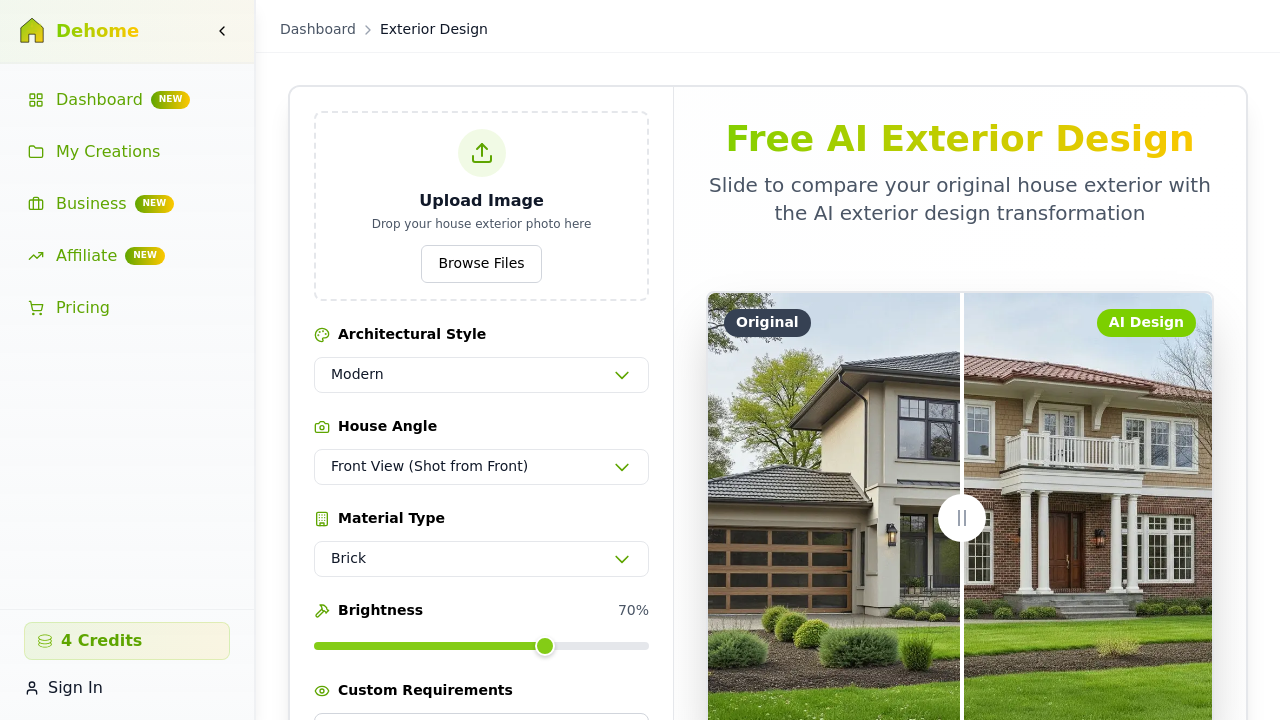
- DeHome.ai, Best for Fast Previews. Renders in 10 to 15 seconds on a credit-based free tier.
- MyArchitectAI, Best No-Login Option. Unlimited free generations and a full commercial licence.
- VisualGPT.io, Best for Style Variety. Modern, contemporary, farmhouse, colonial, Mediterranean, Zen.
- Luw.ai, Best for All-in-One Workflow. Exterior plus interior, sketch-to-render, and 3D in one suite.
- Home-Design.ai, Best for Template Depth. Bohemian Chalet, Dutch Colonial Revival, Greek Revival, Tudor.
- RoomDesign.io, Best for No-Sign-Up Access. Realistic renovations free, no registration.
- Ideal.house, Best Curb Appeal Simulator. Siding, paint, roofing, landscaping previews.
At a Glance: Free AI Exterior Design Generator Comparison
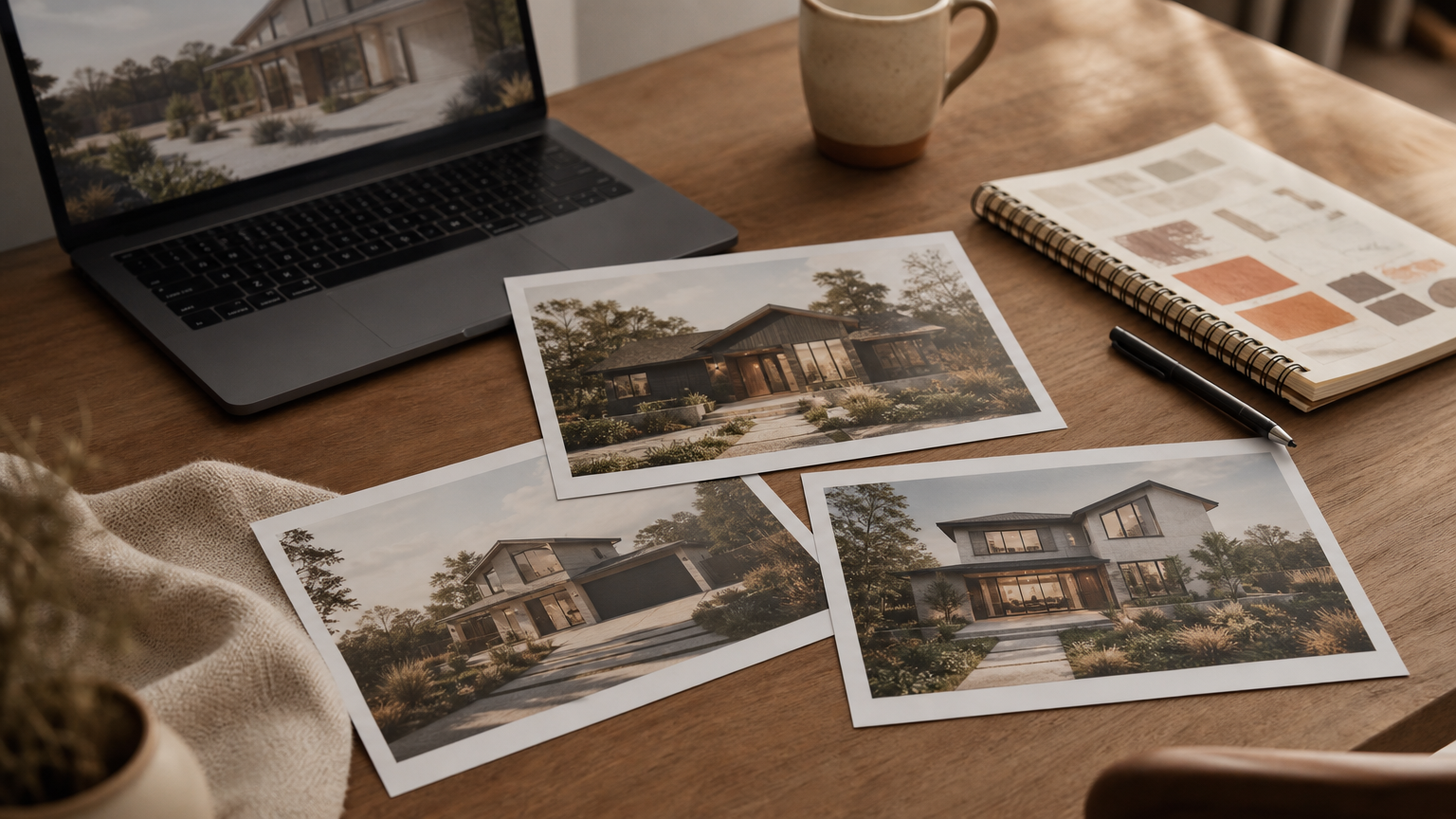
Most of these tools follow the same three-step shape: upload a photo, pick a style, download the render. The differences sit in the fine print, and they matter when you are testing five variations on a Saturday afternoon. The table below compresses what we found in our AI home renovation workflow notes.
| Tool | Free Tier | Login Required | Standout |
|---|---|---|---|
| AI Renovation | Free renders on signup | Yes | Material + style breadth |
| DeHome.ai | Credit-based (4 per HQ render) | Yes | 10 to 15 second renders |
| MyArchitectAI | Unlimited, commercial licence | No | Text-prompt generation |
| VisualGPT.io | Up to 4 images per session | Yes | Auto-style mode |
| Luw.ai | Free tier across suite | Yes | ArchiGPT advice chat |
| Home-Design.ai | Basic 1 credit, Pro 4 credits | Yes | Seasonal + time-of-day controls |
| RoomDesign.io | Free, browser-based | No | Zero-friction access |
| Ideal.house | Free curb-appeal previews | Optional | Paint and siding focus |
Image inputs cluster around JPG, JPEG, PNG, and WebP, with file caps from 10 MB to 16 MB. Commercial licence terms vary; MyArchitectAI is the one tool that states the rights in plain English.
Top Free AI Home Exterior Design Generators Reviewed
1. AI Renovation, Best Overall
The platform handles full facade reskins, roof swaps, landscaping, and paint studies from a single uploaded photo, and the renders hold proportion well enough to share with a contractor without a caveat. Style coverage spans modern, colonial, craftsman, farmhouse, Mediterranean, Tudor, and contemporary, with material controls for brick, stone, vinyl, wood, and stucco. Pricing scales from a free tier into paid plans documented on the AI Renovation pricing page. One honest weakness: the deepest material library sits behind the paid tier, so heavy testing eventually pushes you to subscribe.
2. DeHome.ai, Best for Fast Previews
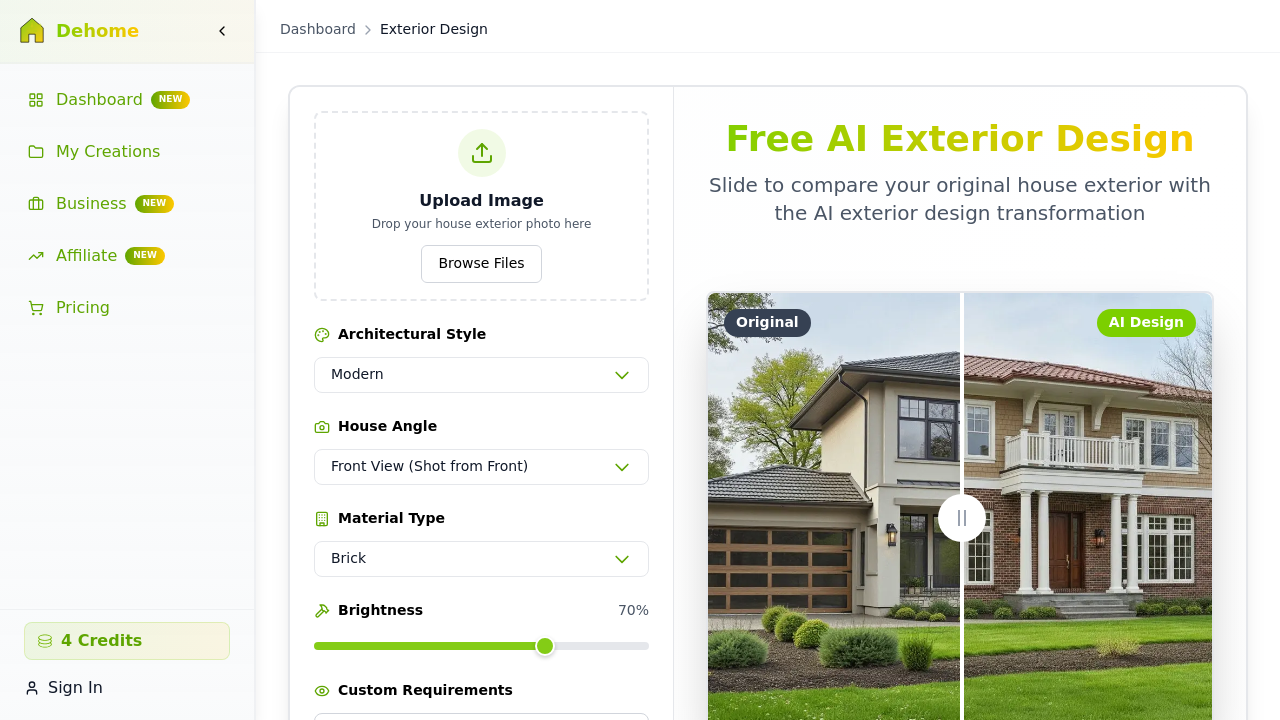
DeHome.ai analyzes architectural style, materials, and surroundings, then proposes siding, color, window, and landscaping changes in 10 to 15 seconds. Complex changes can stretch to 30 seconds; still fast enough to test six options before a coffee cools. The free tier runs on credits, with high-quality renders costing four credits each, similar to the credit logic we explain in our AI remodel house guide. Caveat: the credit clock means you cannot iterate freely once you hit the cap.
3. MyArchitectAI, Best No-Login Option

No account, no email gate, no credit card. MyArchitectAI offers unlimited free generations and grants a full commercial licence on every download, a stance documented on its no-login exterior generator page. It also accepts text prompts, so a phrase like *Scandinavian winter house with black timber cladding* produces a concept render without a source photo, useful for the early daydreaming phase covered in our AI architecture design generator overview. Caveat: the visual style leans architectural-render rather than photoreal, which can read as illustrative on suburban subjects.
4. VisualGPT.io, Best for Style Variety
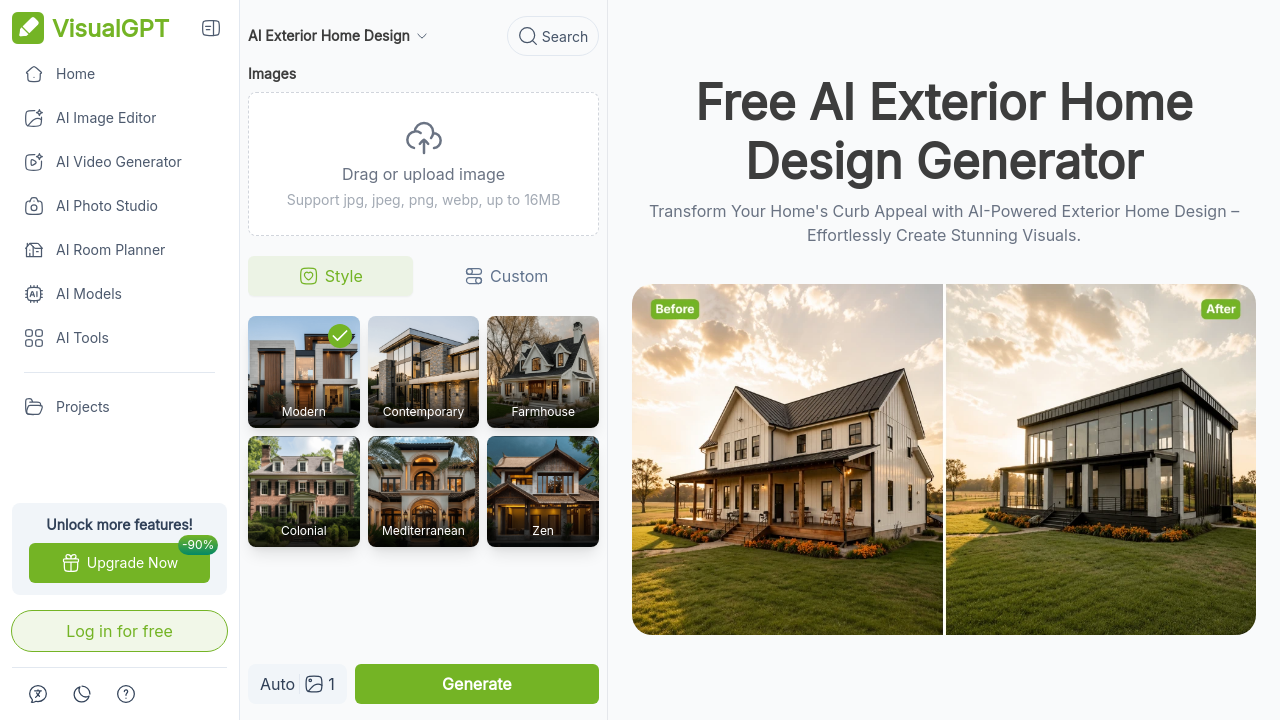
VisualGPT accepts up to four images per session and offers an *Auto* style mode that lets the AI choose the architecture, which lowers decision friction for first-time users. The named style list, listed on its exterior home design generator page, runs from modern through Mediterranean and Zen, and the tool is generous with multi-image experimentation, similar in spirit to the bulk approach we describe for AI generated home renders. Caveat: the Auto mode occasionally over-stylizes, smoothing details that a contractor would actually need to see.
5. Luw.ai, Best for All-in-One Workflow

Luw.ai bundles exterior rendering with interior design, sketch-to-render, 3D walkthrough, and an ArchiGPT chat assistant that offers feng shui and usability advice mid-render. The platform reports 25 million designs generated across 300,000-plus users, useful scale for a free product, and the multi-tool approach mirrors the integrated stance of our AI for home suite. Caveat: switching tools mid-project sometimes resets style memory, so a consistent palette across exterior and interior takes manual care.
6. Home-Design.ai, Best for Template Depth

Home-Design.ai carries the longest named style list of any free tool we tested, including Bohemian Chalet, Dutch Colonial Revival, Greek Revival, Portuguese, and Tudor. It also exposes seasonal and time-of-day parameters that the other free tools do not, letting you see your project in *golden hour* or *winter overcast*. The Basic model costs one credit; Pro costs four, a tier split worth weighing against the broader 3D house planning tools for full project work. Caveat: the interface buries useful controls behind sub-menus.
7. RoomDesign.io, Best for No-Sign-Up Access
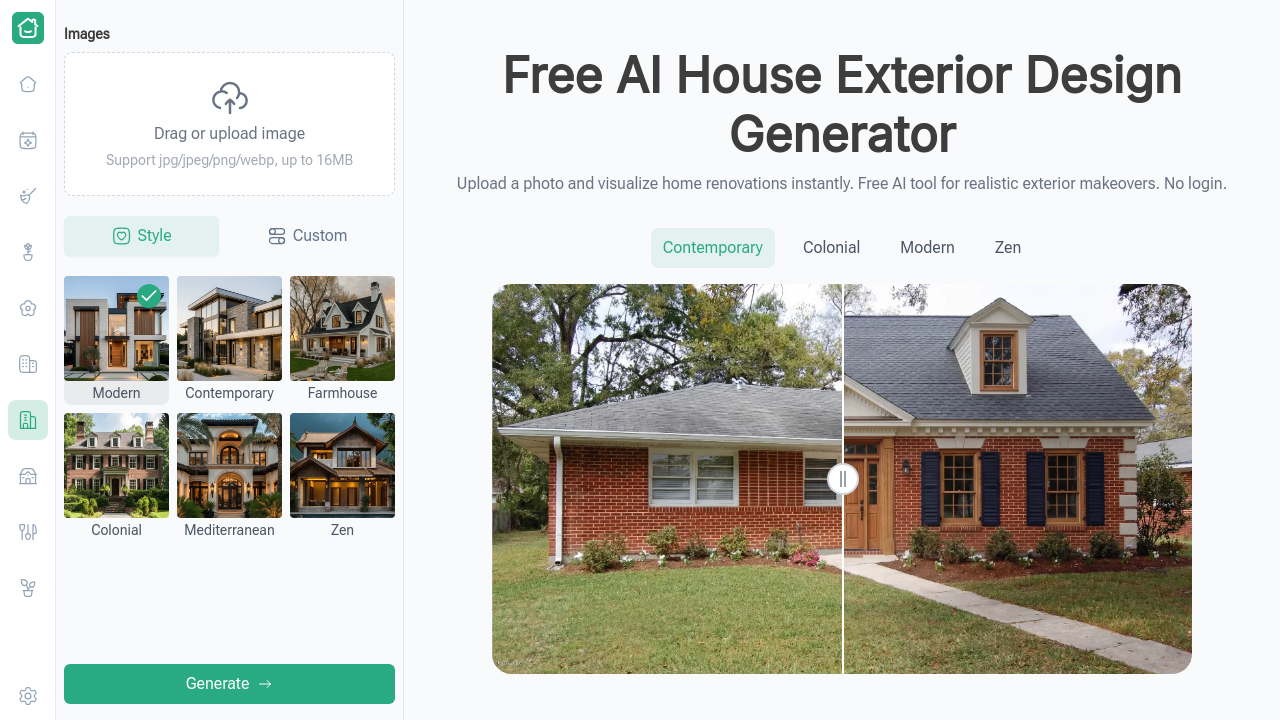
RoomDesign.io runs in the browser without a sign-up wall, producing realistic exterior renovations from an uploaded photo. The output is closer to photoreal than illustrative, which makes it a quick pick for casual testing before committing to a deeper tool like the AI app for house design. Caveat: style breadth is narrower than Home-Design.ai or VisualGPT, so it suits paint and material swaps more than full-facade rethinks.
8. Ideal.house, Best Curb Appeal Simulator
Ideal.house focuses tightly on curb appeal: siding swaps, paint colors, roof material, and landscape edits, rather than full architectural restyles. That focus pairs well with the planning approach we outline on the AI home design tools index. Caveat: if you want a *Victorian to modern farmhouse* transformation, Ideal.house is not the tool; pick VisualGPT or Home-Design.ai instead.
What to Look for in a Free AI Home Exterior Design Generator

Render Realism and Material Accuracy
Realism is the single feature that decides whether a contractor can interpret the output. Look for tools that hold real-world proportions and lighting steady, the way the AI exterior design tool preserves window mullions and roof pitch through a style change. Painterly results are pleasant on screen and useless on a job site.
Style Library and Customization Depth
A library of at least ten named styles, including modern, colonial, craftsman, Victorian, farmhouse, Mediterranean, Tudor, ranch, contemporary, and Zen, covers most North American residential projects. Material controls for brick, stone, vinyl, wood, and stucco matter just as much, since exterior renovation costs swing widely by material and our AI interior design notes document a similar pattern indoors.
Ease of Use and Friction to First Result
Tools that skip login and credit-card entry produce a faster decision loop. Homeowners testing three to five style options benefit from no-account generators, and the lower the friction, the more honest the exploration. Our Create canvas is built around the same principle: upload, render, iterate.
Download Quality and Contractor Sharing
High-resolution downloads, ideally 1080p or higher, are essential for contractor sharing. Watermarks and aggressive compression are quiet dealbreakers, since a blurred render hides exactly the detail a supplier needs. The AI Renovation features page lists the export resolutions worth comparing against any free tool.
How to Choose the Right Free AI Exterior Design Generator for Your Project

If you are testing colors and materials before a contractor consultation, lean on a no-login, unlimited tool like MyArchitectAI, the same approach we recommend in our explore gallery for early-stage idea browsing. Speed-first users presenting multiple options should prioritize DeHome.ai or VisualGPT for sub-30-second renders. Full-suite projects that span interior and exterior belong on Luw.ai. Commercial work needs a clear licence, which MyArchitectAI states plainly and most others do not. And renovations that mix facade, roof, and landscape benefit from Home-Design.ai's seasonal and time-of-day parameters.
Frequently Asked Questions
Are free AI home exterior design generators accurate enough to share with a contractor?
Yes for color and material direction, with caveats. Renders preserve proportion and lighting well, but contractors should verify structural feasibility separately. Treat the output as a clear visual brief rather than a final construction document.
Do I need to create an account to use a free AI exterior design tool?
Not always. MyArchitectAI and RoomDesign.io run without a sign-up. DeHome.ai, VisualGPT.io, Luw.ai, and Home-Design.ai require a free account. None of the tools in this list demand a credit card on the free tier.
How long does it take to generate an AI home exterior design?
Most tools render in 10 to 30 seconds. DeHome.ai sits at the fast end with 10 to 15 seconds for standard changes. Complex full-facade restyles with material swaps can stretch closer to a minute on slower free tiers.
Can I use AI-generated exterior designs for commercial projects?
Only when the tool grants an explicit commercial licence. MyArchitectAI states this plainly on every free download. Other tools either restrict commercial use or stay silent, which means you should read the terms before using a render in marketing.
What architectural styles do free AI exterior generators support?
Coverage typically includes modern, contemporary, colonial, craftsman, Victorian, farmhouse, Mediterranean, Tudor, ranch, and Zen. Home-Design.ai adds named templates like Bohemian Chalet, Dutch Colonial Revival, and Greek Revival, the deepest free style library we found this year.
Will an AI exterior design tool work on any house type or age?
Generally yes. The models handle ranch, colonial, Victorian, mid-century, and contemporary stock well. Highly unusual angles, heavy obstructions like mature trees, or low-resolution source photos reduce render quality more than the age or style of the house itself.
Can I change just the paint color without redesigning the whole exterior?
Yes. Ideal.house specializes in this, and most other tools accept a narrow prompt like *change siding to charcoal, keep everything else* to limit edits. Narrower prompts produce more consistent results than open-ended style swaps.
Do free AI exterior design tools consider local building codes?
No. These tools render visual concepts only. Setbacks, height limits, material restrictions, and historic-district rules all sit outside the model. Verify any structural change with a local architect or building department before committing to construction.
The Quiet Takeaway
A free AI exterior generator will not pour your foundation or pull your permit, but it will let you sit with a charcoal facade, a slate roof, or a softer cedar trim long enough to know whether you actually want it. That patience, the ability to *live with an idea before paying for it*, is the real gift of these tools. Browse the eight picks above, then take your favorite photo to the AI Renovation blog for project planning notes and material guides. Your front door, in better light, is closer than you think.
---
*Built with The SEO Agent.*
Ready to get started? Try our Exterior House Remodel App, or Home Exterior Design AI.