
What Is an AI Room Makeover and How Can You Try One Free?

Picture the living room you already own, then picture it again in linen-soft Scandinavian neutrals, or wrapped in a deeper, library-warm palette. An AI room makeover does exactly that: it takes a phone snapshot of your real space and returns a photorealistic redesign in under a minute. AI Renovation helps homeowners try styles, finishes, and furniture arrangements on a room before any paint can is opened. This guide explains how the technology works, what to expect, and how to try one free.
Definition: What Is an AI Room Makeover?

An AI room makeover is a generative process in which a model studies a photograph of your existing room and produces a restyled version of the same space, holding the architecture steady while swapping out furniture, finishes, and décor. The output is photorealistic, usually delivered in under sixty seconds, and intended as a visualization tool rather than a construction document. *In plain English*: it shows you what your room could feel like in a different style, using your actual walls and windows as the backdrop.
The core technology behind AI room design
Behind the scenes, an AI interior design model interprets depth, lighting, and structure from your photo, then renders a new image conditioned on the style you choose. The original floor plan, window placements, and door openings are preserved; sofas, rugs, paint, and lighting are reimagined. Most platforms support eight or more styles, including Modern, Scandinavian, Industrial, Minimalist, Bohemian, Traditional, Contemporary, and Mid-Century Modern.
How it differs from traditional interior design
Hiring a designer involves consultations, mood boards, and a proposal cycle that can run weeks. An AI home design workflow collapses that to a single upload and a dropdown. There is no upfront fee for a first visualization, no scheduling, and no waiting room. RoomGPT alone reports over two million users, a useful signal that this category has moved from novelty to mainstream homeowner habit.
Takeaway: an AI room makeover is a fast, photorealistic preview of your existing space in a new style, not a replacement for the trades who execute the work.
How an AI Room Makeover Works: Step by Step
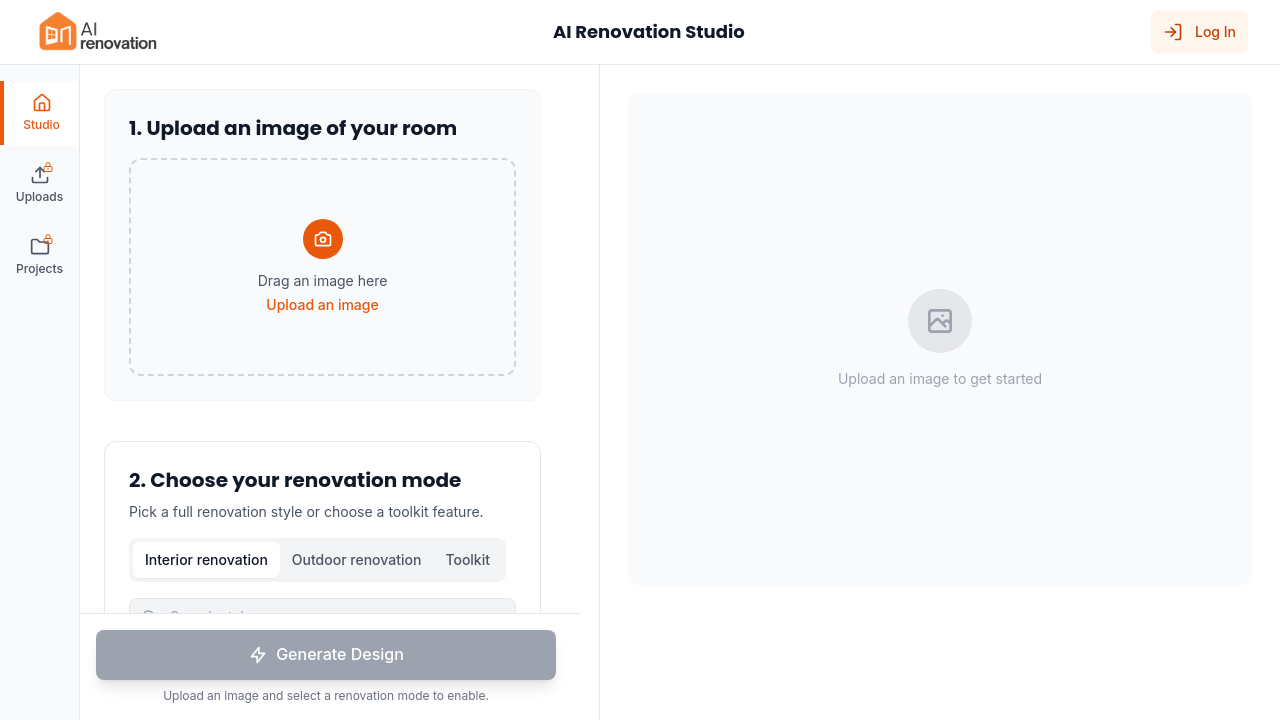
The workflow is the same across most platforms: upload, choose, generate. The differences live in the details of each step, and small choices early on shape the quality of what comes back. A clear photo and an honest room-type selection do more for the final image than any clever prompt.
Step 1: Upload your room photo
Start with a photograph of the room as it stands today. Most tools accept JPG, PNG, and WEBP files anywhere from 16 to 50 MB. The AI Renovation create tool accepts standard phone photos directly; aim for a well-lit, wide-angle shot taken from a corner of the room so the model sees as much spatial context as possible.
Step 2: Choose a room type and style
Next, select the room type, which can include living room, bedroom, kitchen, bathroom, dining room, home office, or kids room. Pair that with a style. Specialty tools like the AI bathroom design generator tune their output to fixtures, tile, and vanity scale rather than generic furniture, which matters when the room has tight constraints.
Step 3: Generate and review results
Generation takes seconds. On most free tiers you can regenerate variations and place them side by side, comparing a quiet Scandinavian palette against a warmer Mid-Century arrangement of the same room. High-resolution downloads are usually available from the features page of any serious platform, ready for a contractor brief or a real estate listing.
Takeaway: the better the input photo and the more honest the room-type selection, the more useful the rendered result.
Why Homeowners Use AI Room Makeovers
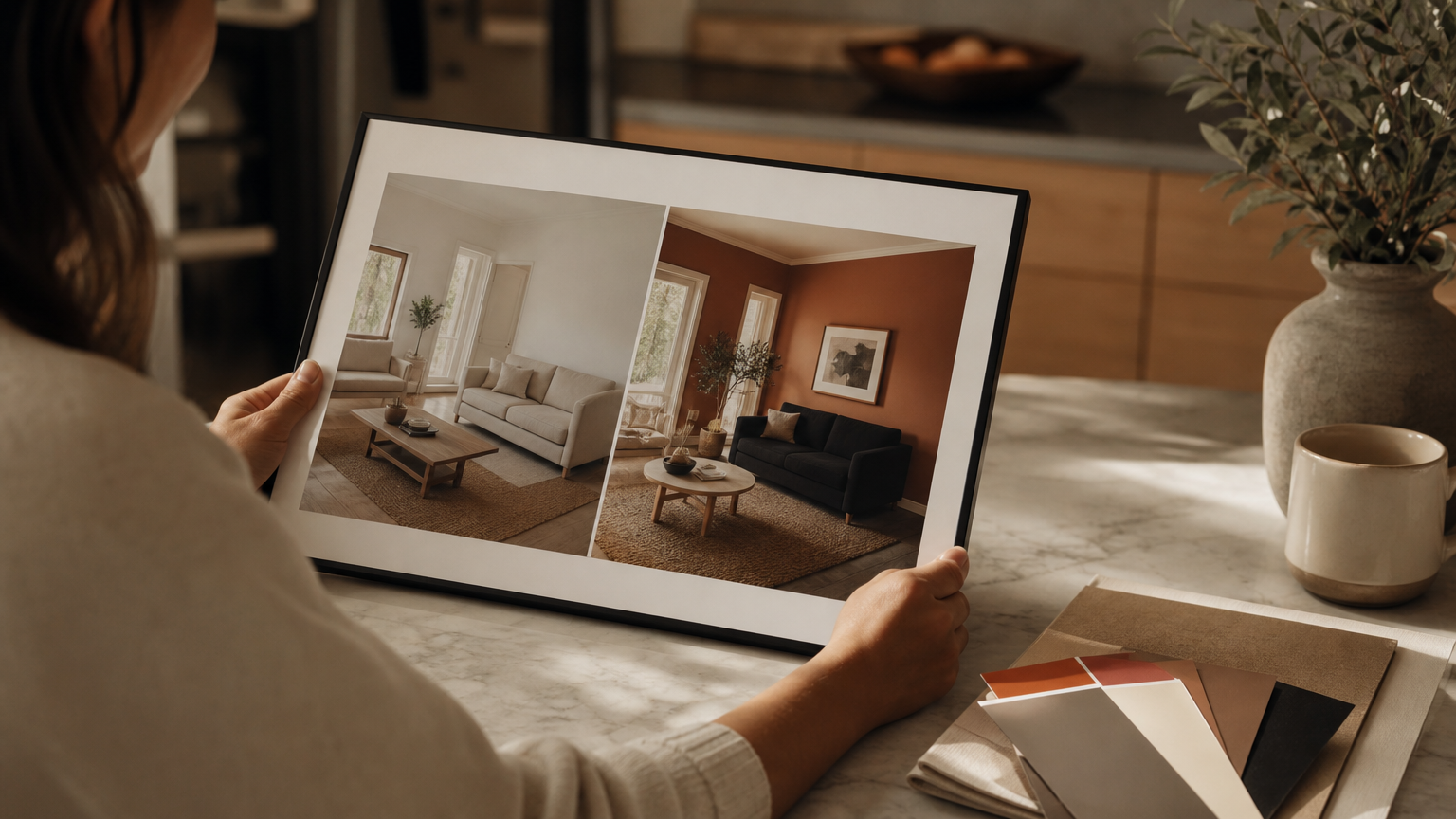
The motivation is rarely curiosity alone. Homeowners reach for these tools when a decision is looming and the stakes feel real: a sofa to buy, a kitchen to commit to, a listing photo to stage. The shared thread is seeing the outcome before paying for it.
Visualization before renovation spending
Seeing a finished palette before ordering paint or furniture quietly reduces regret. A homeowner planning a kitchen remodel can test cabinet tones against existing flooring, or audition a backsplash, without a single sample arriving in the post. The visual sits alongside the quote and informs the conversation with the contractor.
Virtual staging for real estate
Agents have adopted the same workflow as AI home staging: upload an empty or tired room, generate a buyer-ready preview, and publish to the listing. The cost compared to physical staging is a rounding error, and the turnaround is the time it takes to brew coffee.
Overcoming design indecision
For homeowners stuck between two directions, the value of an AI home renovation preview is comparison. Generating four versions of the same bedroom, each in a different style, sharpens taste quickly. The eye knows what it wants when it can see the options next to one another.
Takeaway: AI room makeovers earn their place anywhere a costly, irreversible decision benefits from a quick visual rehearsal.
What to Expect From Free AI Room Makeover Tools
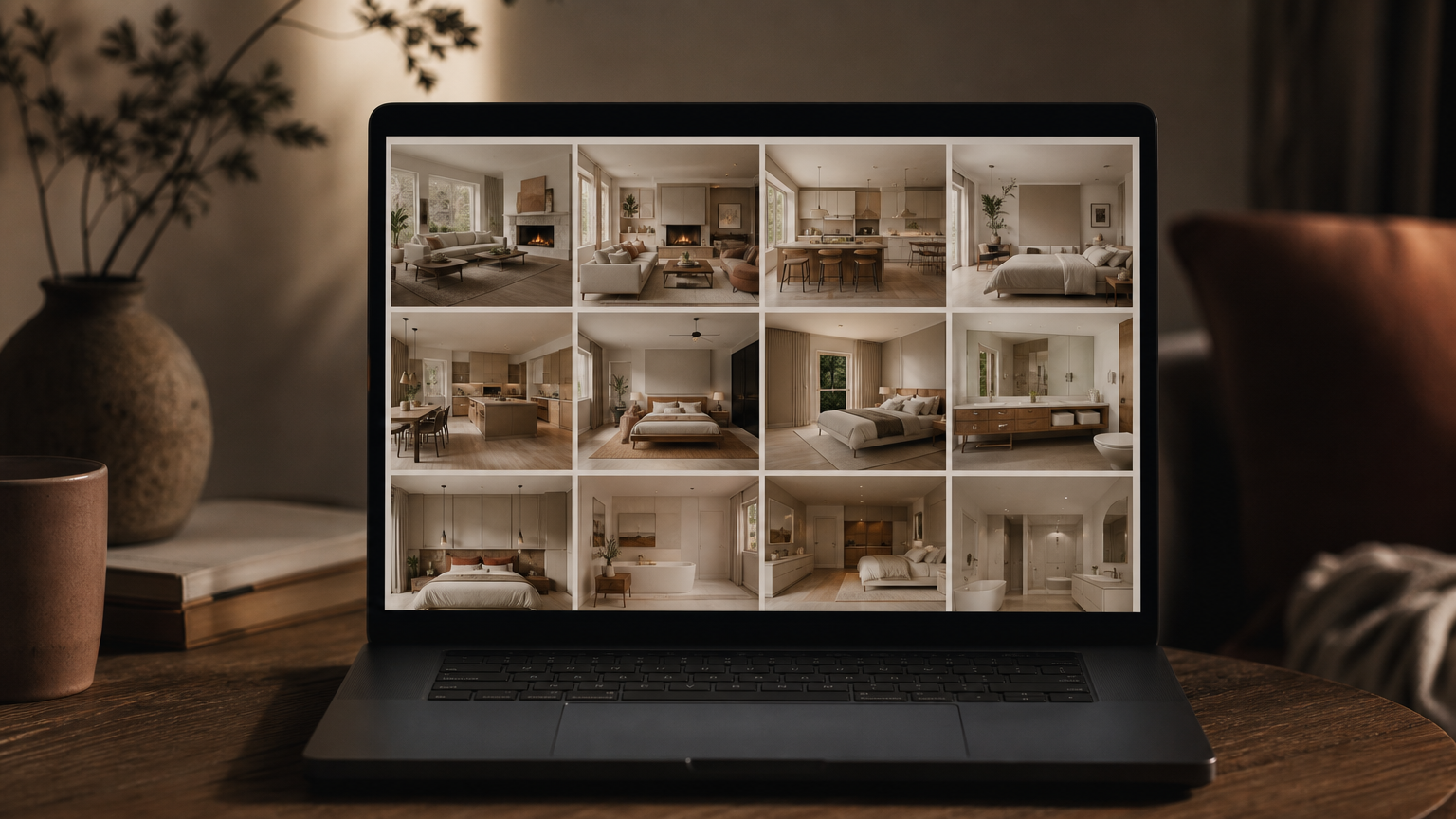
Free tiers vary, and the variance is worth understanding before you commit a weekend to one platform. The headline question is how many renders you get, and the secondary question is whether the output is good enough to show a contractor.
- Credit limits: Many free tiers offer four to ten generations before requiring a paid plan or account. Some tools, such as VisualGPT's room designer, run in the browser with no login at all. AI Room Planner currently advertises unlimited free generations in beta, though that policy is explicitly subject to change.
- Output quality: Photorealism is the norm on modern platforms. The AI Renovation pricing page outlines what shifts on paid plans, typically higher-resolution exports, priority processing, and uncapped renders.
- Fidelity caveats: AI output approximates rather than specifies. The render will show "a walnut sideboard," not a specific SKU; "a dusty terracotta wall," not a paint code.
Typical free tier limitations
A free tier is designed for evaluation, not production. Expect watermarking on some platforms, a small render queue, and limits on how many reference uploads you can attach at once. The AI Renovation features overview is a useful reference for what to look for when comparing.
Quality and realism of AI-generated results
Realism is high enough that screenshots regularly fool casual viewers. Look closely and the seams appear: a slightly impossible chair leg, a lamp that floats half a centimetre. For planning, none of this matters. For a magazine cover, it would. Try a few generations on the AI Renovation homepage tool to calibrate expectations before paying for anything.
Takeaway: free tiers are generous enough for a serious first look; pay only when you know which platform suits your eye.
Common Misconceptions About AI Room Makeovers
A handful of assumptions trip up first-time users. Clearing them early saves frustration later.
Misconception: AI replaces professional designers entirely
Reality: AI handles visualization. A human still sources the actual sofa, negotiates with the trades, and decides whether the wall can come down. Tools like an AI furniture generator inspire selections; they do not place orders or coordinate delivery.
Misconception: Results are always purchase-ready
Reality: Renders are stylized interpretations. Fabric weave, paint finish, and wood grain are approximated. Use the image as a north star, then source materials in person or through samples. The AI Renovation explore gallery is a good place to see how loosely or tightly real homeowners interpret their AI outputs.
Misconception: You need technical skills to use these tools
Reality: Upload, select, generate. The AI app for house design workflow is engineered for first-time renovators with no software background. The main skill required is patience to take a good photo.
Misconception: AI accounts for structure and code
Reality: It does not. AI cannot identify load-bearing walls, plumbing runs, or local building codes. For anything structural, an AI architecture design generator is still a visualization aid, not an engineering report. Bring drawings to a licensed professional before swinging a hammer.
Takeaway: treat AI makeovers as the conversation starter, never the final word.
How to Choose the Right AI Room Makeover Tool
When you compare platforms, hold them against the same short list of criteria rather than trusting the marketing copy.
| Criterion | What to check |
|---|---|
| Style library | 8+ design styles is the current baseline |
| Room coverage | Living, bedroom, kitchen, bath, dining, office, kids |
| Floor-plan fidelity | Does the AI preserve walls, windows, doors? |
| Free-tier generosity | 4 credits vs unlimited beta varies widely |
| Output format | High-resolution downloads, 3D versus flat overlays |
| Sign-up friction | Some tools work with no login at all |
Key features to compare
Beyond the table, weigh whether the tool produces a true 3D-rendered output or a flat style overlay. A 3D home design tool is more useful when furniture scale and spatial flow matter, which is most of the time for renovation work.
Questions to ask before committing to a paid plan
Ask whether you can export at the resolution your contractor or estate agent needs, whether reference uploads are capped, and how data privacy is handled. The AI Renovation tools index is a useful catalogue to sample before settling on a paid tier.
Takeaway: test two or three free tiers on the same room photo before paying anyone.
Frequently Asked Questions
Is an AI room makeover free to try?
Yes. Most platforms offer a free tier ranging from four credits to unlimited beta access, and some require no sign-up at all. Free results are watermarked or capped in resolution on certain tools but remain useful for planning.
How accurate are AI room makeover results compared to real renovations?
Results are photorealistic in mood and palette but approximate in detail. Furniture models, fabric textures, and exact paint codes are interpreted, not specified. Use the render to guide selections, then verify materials with physical samples before purchase.
What kind of photo do I need to upload for an AI room makeover?
A well-lit, wide-angle photograph taken from a corner of the room works best. JPG, PNG, and WEBP files up to roughly 16 to 50 MB are accepted on most platforms. Avoid dark, cluttered, or low-resolution images.
Can AI redesign any room type, including kitchens and bathrooms?
Yes. Modern tools support living rooms, bedrooms, kitchens, bathrooms, dining rooms, home offices, and kids rooms. Specialty generators tuned to bathrooms or kitchens often produce more accurate fixture and cabinet placement than general-purpose room designers.
Do AI room makeover tools work for virtual staging in real estate?
They do, and agents now use them routinely. Upload an empty or dated room, generate a staged version in a buyer-friendly style, and use the export in the listing. Disclosure of virtual staging is required in most jurisdictions.
Will an AI room makeover replace my interior designer?
No. AI handles visualization quickly and cheaply, but a designer still curates sourcing, manages trades, and resolves the hundreds of small judgement calls a render cannot. The two work well together; treat the AI output as a starting brief.
How long does it take to generate an AI room makeover?
Typically under sixty seconds per render. Most platforms allow unlimited regeneration on free tiers, so producing four or five style variations of the same room takes only a few minutes from upload to comparison.
Can I try multiple design styles on the same room photo?
Yes, and this is the strongest reason to use these tools. Generate the same room in Scandinavian, Modern, and Mid-Century Modern, place the results side by side, and let your eye tell you which direction is honest to the space.
Conclusion
An AI room makeover will not pour the concrete, but it will quietly answer the question that stalls most renovations: *what would it actually look like?* Spend an evening with a free tier, generate a handful of variations of the room you already live in, and notice which palette your eye returns to. When you are ready to take the next step, AI Renovation is built for exactly that, the soft rehearsal before the real work begins.
---
*Built with The SEO Agent.*
Ready to get started? Try our Redecorate Room, or Home Redesign AI.